
TV Dinner.
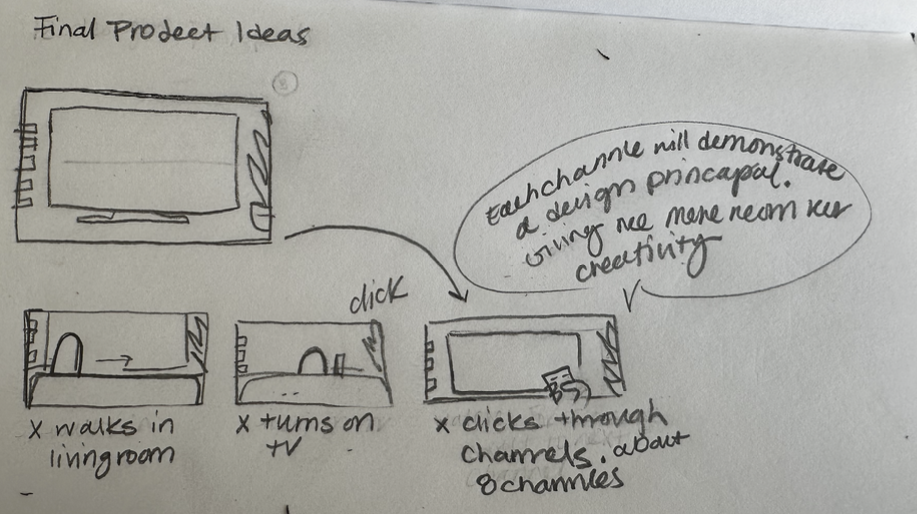
TV Dinner is a 22-second 2D animation about something most of us do: you sit down with dinner, turn on the TV, and spend the whole meal flipping channels instead of watching anything. I made it as the final project for a graduate 2D Animation course. Each channel the character lands on shows a different one of the 12 principles of animation.
WHERE
Graduate final project
2D Animation · 2025
TEAM
Solo
Story, art, sound, edit
TOOLS
Illustrator
Premiere Pro & Adobe Animate
ROLE
Animator & Illustrator Concept to final cut
The Idea
Dinner’s ready. Nothing’s on.
You get home from work, dinner in hand, ready to unwind. You sit on the couch, turn on the TV, and realize you have no idea what to watch. So you flip, hoping something grabs you. Nothing does, and by the time you look down, dinner is gone. That’s TV Dinner. The idea came on a lunch break, when I caught myself scrolling for something to watch and realized the scrolling had become the entertainment. The title means two things: eating in front of the TV, and the frozen meal that takes no effort to make. The meal is simple. Picking what to watch with it isn’t.
Secondary Action · Timing
Exaggeration · Appeal
Arcs · Anticipation
Straight Ahead & Pose to Pose · Slow In & Slow Out
Staging · Solid Drawing
Squash & Stretch · Follow Through & Overlapping Action
12 Principles of Animation
Every channel is a lesson.
The assignment was to show all 12 principles of animation, and channel surfing gave me a built-in way to do it. Each channel became its own short with its own style, set and character, so I could practice a principle or two at a time: a treadmill workout, a climb up Mount Everest, a pesky fly. Every click of the remote lands somewhere new, and these shorts became the channels he flips past in the final piece.
Production
It started on one sheet of paper.
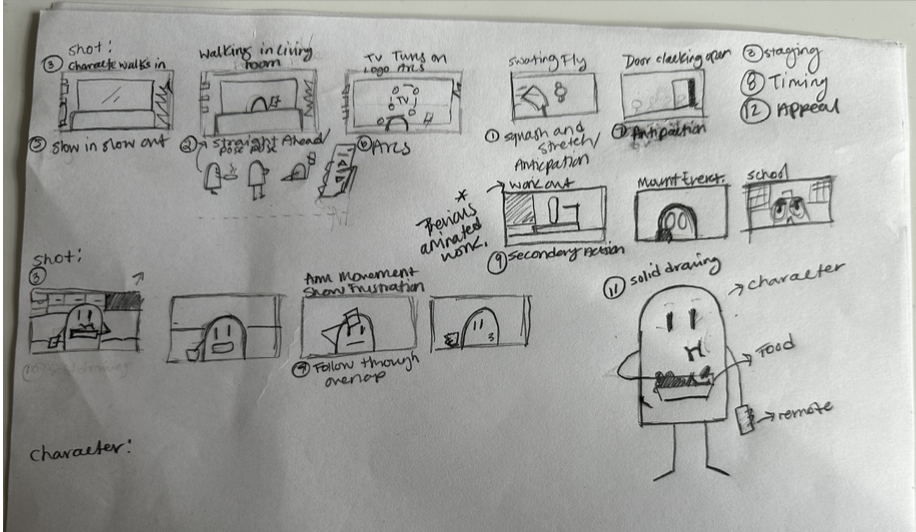
TV Dinner started on a single sheet of paper. I sketched the frames that tell the story: walking in with dinner, turning on the TV, and clicking through about eight channels while the frustration builds. Next to each frame I noted the principle it would show, from slow in and slow out on the walk-in to follow-through and overlap in his arm movements, so the storyboard doubled as my shot list. Channels like the workout, Mount Everest and school scenes reused animations I made earlier in the course.
Drafts
The Rough Animatics
Before moving into Adobe Animate, I sketched my rough ideas in Procreate on my iPad and stitched them together in iMovie. This rough animatic let me lock in the direction early, so designing each keyframe in the next stage was much easier.
The Set
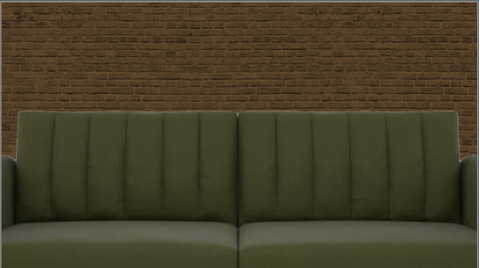
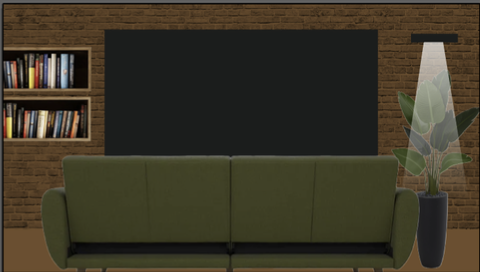
Shows like The Amazing World of Gumball, Fish Hooks and Chowder have always inspired me with the way they mix real photos and textures into cartoon backgrounds. I grew fond of that style and wanted to practice it, so I built the living room from bitmap images (brick wall, bookshelf, couch, plant and lamp) and set my flat, Illustrator-drawn character on top. Sound finished the world: TV static, remote clicks and room noise, all cut together in Premiere Pro.
The Character
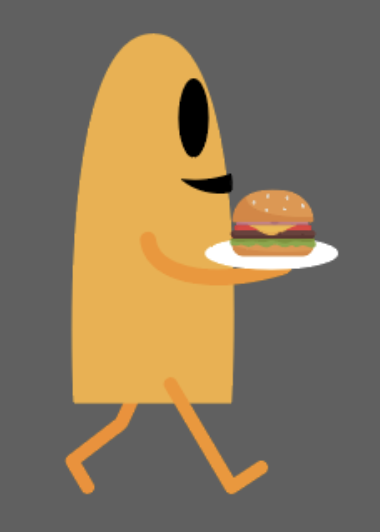
I designed a simple character I could redraw for every keyframe. Keeping him minimal let me spend my energy experimenting with the 12 principles of animation instead of on rendering details.
Reflection
This course pushed me to learn a skill set I’d always wanted but never had the accountability to chase on my own. With real deadlines and a final piece to deliver, I finally committed to it, and I learned quickly that animation is not for the weak.
Animation is everywhere, carrying emotion and story in the videos we watch every day, but I didn’t understand how much work sits behind it. The production that goes into a few seconds of motion makes the scale of most design work feel small by comparison. I came out of this course with a deep respect for 2D animators and anyone with the skill to illustrate and bring things to life.
I also left with real skills. I’m now comfortable with tweening and keyframing, something I’ve wanted to tackle since I was a kid. Taking an idea from a sheet of paper to a storyboard, then to short animated loops and a finished piece, was one of the most inspiring things I’ve made.